Release Notes
- 16 Jun, 2026
v1.4.0
Latest🚀 What's New
- CPU Fallback for Local AI 🤖 — Local AI now gracefully handles devices without a dedicated GPU.
- Automatic CPU fallback when GPU acceleration is unavailable.
- No more crashes or white screens on devices without Vulkan-capable GPUs.
- Graceful error handling with proper messages instead of app crashes.
- In-Session Music Downloads 🎵 — Download music tracks directly during the attack phase.
- Full music library visible during sessions — browse all available tracks.
- One-click download from the session music player.
- Consistent track count across the music library, session player, and main library view.
✨ Enhancements
- Simplified music library modal — removed the "My Music" tab for a cleaner, unified library view.
- Added track fetch timeout — 10-second timeout prevents the music player from hanging when the API is unreachable.
- Improved empty state messages — the session music player now distinguishes between "no tracks", "no downloaded tracks", and the current track title.
🛠️ Fixes
- Fixed white screen on startup when camera or certificate permissions are missing — the permission page now renders correctly.
- Fixed "Connecting to Server..." stuck state when permission validation fails during boot.
- Fixed currentlyPlaying.title crash in the session music player when tracks exist but none are downloaded.
- Fixed Vulkan backend panic that crashed the app on devices without a Vulkan-capable GPU.
- CPU Fallback for Local AI 🤖 — Local AI now gracefully handles devices without a dedicated GPU.
- 10 Jun, 2026
v1.3.9
Stable🚀 What's New
- Redesigned Dashboard 🏠 — A reorganized main dashboard with focus and planning at a glance.
- Today's Focus Goal card showing progress toward your daily target.
- Upcoming Session card surfacing your next scheduled session.
- One-click Focus Mode entry from the dashboard.
- Analytics Suite 📊 — A new analytics experience with focused, actionable views.
- Focus Score summarizing the quality of your sessions.
- Productivity Patterns visualizing when and how you work best.
- Top Focus Times highlighting your most productive hours.
- Site Tracking for websites accessed during sessions.
- Smart Recommendations based on your activity patterns.
- Vulkan-Accelerated Local AI 🤖 — Local AI now runs on a faster, Vulkan-accelerated backend.
- Faster on-device AI for task breakdown and recommendations.
- One-time model download with progress tracking.
- AI auto-enables as soon as the model is ready.
- Meditation Warmup Phase 🧘 — An optional pre-session warmup to ease into deep work.
- Guided meditation phase with timer and built-in audio.
- Choose your warmup when planning a session.
- Bundled meditation tracks ready to play offline.
- Website Blocker Overhaul 🛡️ — Blocking is now session-scoped and synced reliably.
- New blocker UI with category filtering and search.
- Per-session blocklists so each session can have its own rules.
- Reliable blocked-attempt counts that are never lost on session end.
- Quick Start Customization ⚡ — Faster, more flexible quick-launch sessions.
- Customize your Quick Start session before launching.
- Quick Start action buttons for fast launch from the session view.
- Timezone selection added to the quick start flow.
- Tray Popover Window 🪟 — A new tray popover with smart positioning for quick glances at your session.
- Permission Onboarding 🔐 — Clearer first-time permission flow.
- Guided permission requests for camera and certificate access.
- Clearer permission state during onboarding.
- Music Player Improvements 🎵 — Finer playback control during sessions.
- Volume slider built into the music player.
- Three-state repeat mode (off / repeat all / repeat one).
- Session History Redesign 📜 — A more scannable, interactive history view.
- Cleaner history rows that consolidate session details into a single cell.
- Click any row to open the full session details.
- Logs Viewer 🪵 — Read and clear application logs from inside the app.
- Sign-In Improvements 🔑 — A smoother, more reliable sign-in flow.
- Smoother OAuth sign-in with more reliable token handling.
- Your settings load instantly after signing in.
- Microsoft Teams Integration 💬 — Keep your Teams status and calendar in sync with your focus sessions.
- Connect with Microsoft Teams via secure OAuth sign-in.
- Auto Do Not Disturb — your Teams presence updates automatically during focus sessions.
- Teams calendar invites are recognized when planning sessions.
✨ Enhancements
- Overhauled Achievements UI with improved layout and data handling.
- Unified content tabs with new AI Insights, Analytics, and Music tabs.
- Added a group combobox for multi-select group picking.
- Standardized modals and buttons across the app for a more consistent look.
- Stack avatars now show a remaining count indicator when the participant list overflows.
- Pagination can now optionally display result counts.
- Added toast notifications for presence detection feedback.
- Renamed the AI assistant persona from "Nova" to "Vivian".
🛠️ Fixes
- Fixed presence scoring miscalculating slot index and timer cadence.
- Fixed the task selection checkbox appearing during the attack phase.
- Fixed session page layout spacing for more consistent rendering.
- Redesigned Dashboard 🏠 — A reorganized main dashboard with focus and planning at a glance.
- 08 May, 2026
v1.3.8
Stable🚀 What's New
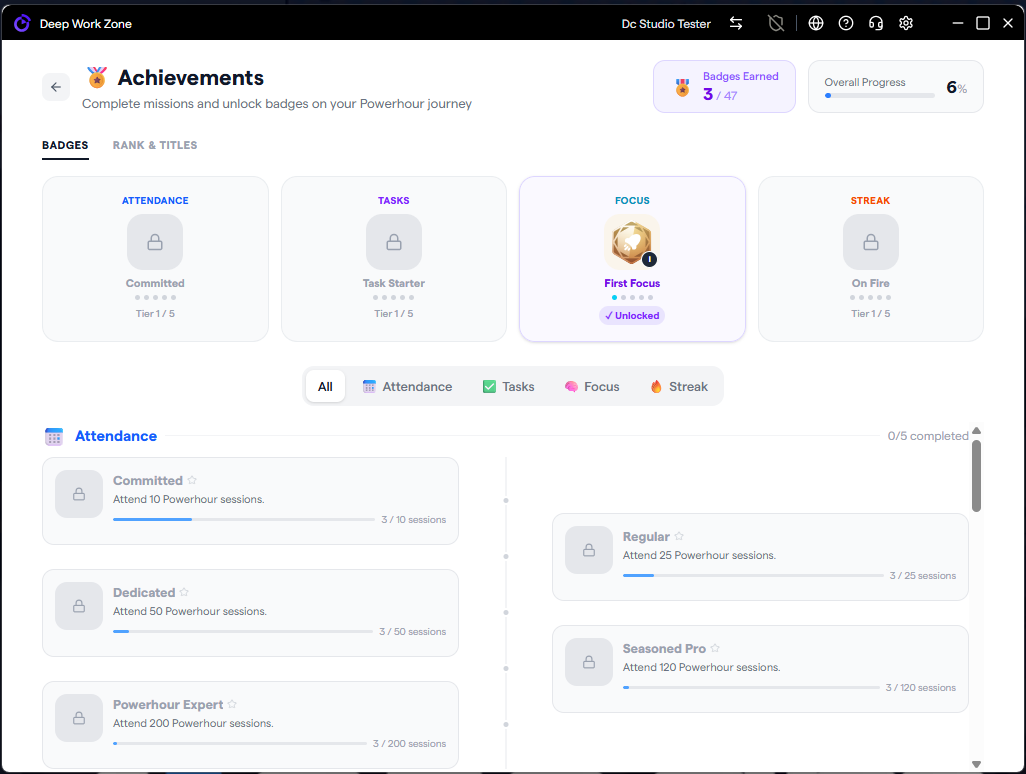
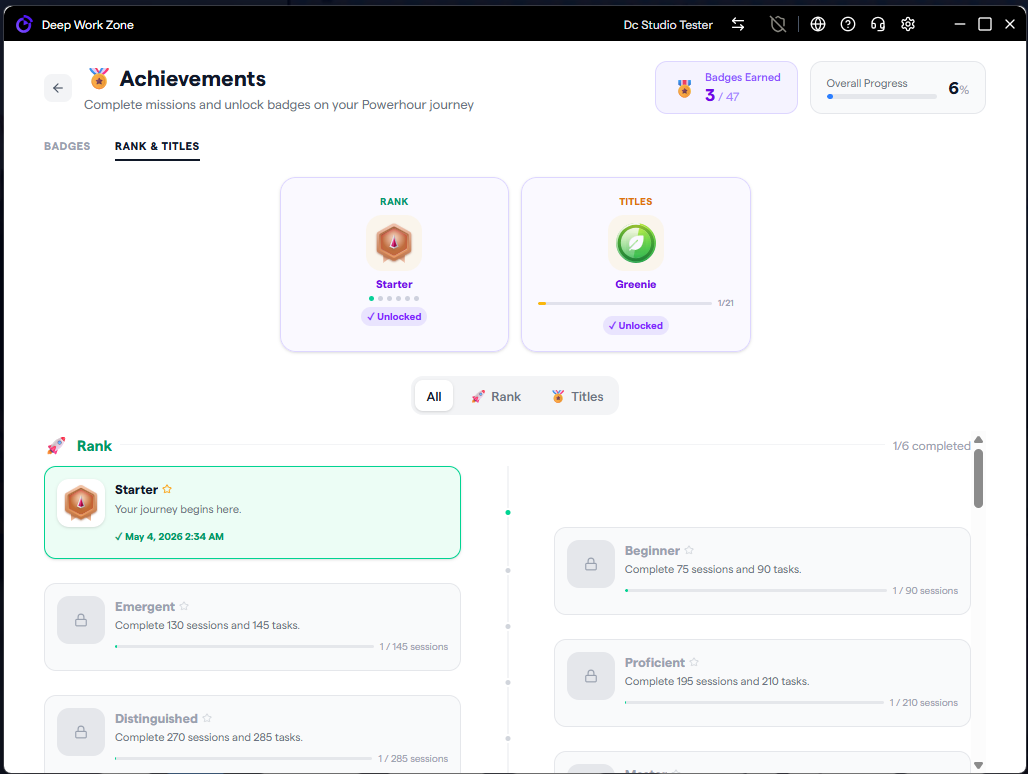
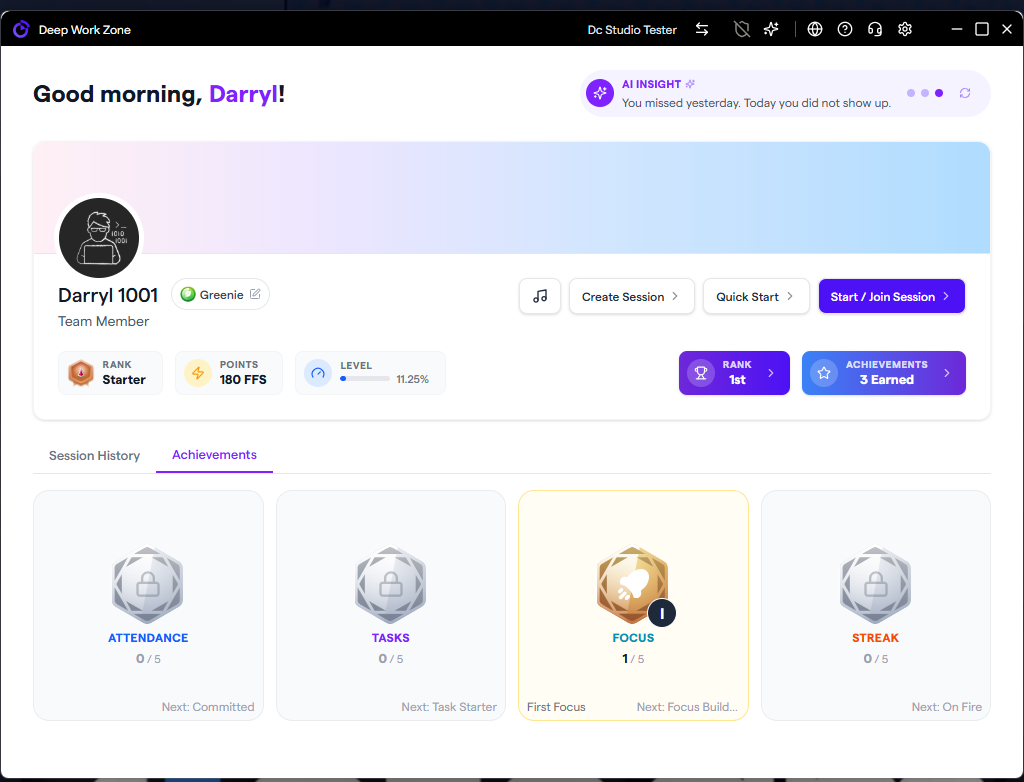
- Achievements & Badges 🏅 — A full gamification system with 5 categories (Attendance, Tasks, Focus, Streak, Advanced), tiered SVG badge icons (tier 1–5), unlock notifications with confetti, a filterable badge showcase, and API-driven progress tracking that merges server data with the local catalog.
- Leaderboard & Rankings 🏆 — Comprehensive leaderboard page with top-performer highlights, popover details, custom date filter (weekly, monthly, or custom ranges), and a dedicated ranking store with real-time data integration.
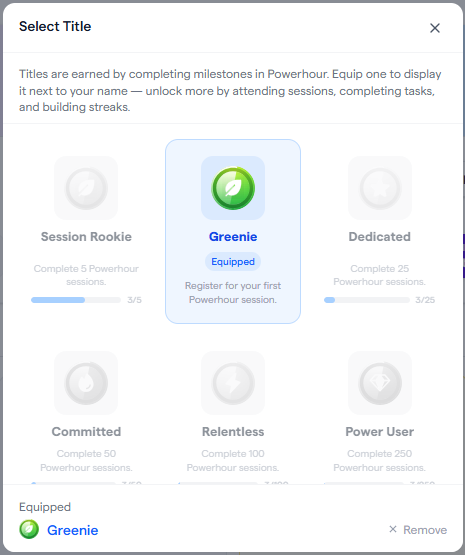
- User Titles 🎖️ — Earn and equip titles based on achievements. Choose from unlocked titles to display on your profile, with unique SVG title icons (Committed, Completionist, Poweruser, Relentless) and detailed stats pills showing key metrics.
- AI-Powered Insights 🤖 — The AI Agent can now generate personalized productivity insights based on your activity and statistics, with loading state management and an enhanced display layout.
- More Music Tracks 🎵 — Additional music tracks added to the built-in library for more ambient and focus-friendly listening options during sessions.
- Presence Detection Improvements 📷 — Camera fallback handling for graceful degradation and improved slot index calculation using elapsed-time-based indexing for accuracy.
✨ Enhancements
- Improved presence bar accuracy — the scoring index now uses the native Rust timer for second-level precision, eliminating index drift during live sessions.
- Improved session duration calculation — enhanced time parsing with single-base-date logic, 24-hour format support, seconds precision, and proper midnight crossover handling.
- Improved mini window music player — fixed repeat button toggle styling and added bottom padding to the music library list.
- Improved presence data emission — overview now emits additional presence data to the mini window for real-time sync.
🛠️ Fixes
- Fixed presence bar rendering incorrectly on fresh sessions — the active session timer was initialized to 0, causing the scoring index to jump to maximum before the Rust timer started.
- Fixed stale presence data from previous sessions — the Tauri local store now purges entries from old sessions and validates slot count against the current session's duration before restoring.
- Fixed same-route session navigation not resetting state — navigating between sessions now properly resets the presence store.
- Fixed presence scoring continuing after session ends — scoring is now stopped immediately when entering the celebrate phase, preventing phantom slot writes.
- Fixed tooltip horizontal overflow — tooltips in top/bottom positions no longer overflow their container.
- Fixed missing participation ID in celebrate modal — added null check to prevent errors when participation ID is unavailable.
- Fixed repeat button not toggling color in mini window — CSS specificity conflict prevented the blue highlight from showing.
- Fixed music library last item clipping — added bottom padding so the last track is fully scrollable.
- Fixed PresenceBar loading state in barOnly mode — correct loading display when the bar is rendered without surrounding context.
🖼️ Screenshots
 Screenshot 1
 Screenshot 2
 Screenshot 3
 Screenshot 4
 - 15 Apr, 2026
v1.3.7
Stable🚀 What's New
- Server Clock Synchronization — The app now synchronizes with server time on session start, correcting clock drift and ensuring the countdown timer is always accurate. A warning is shown if your system clock is more than 30 seconds off.
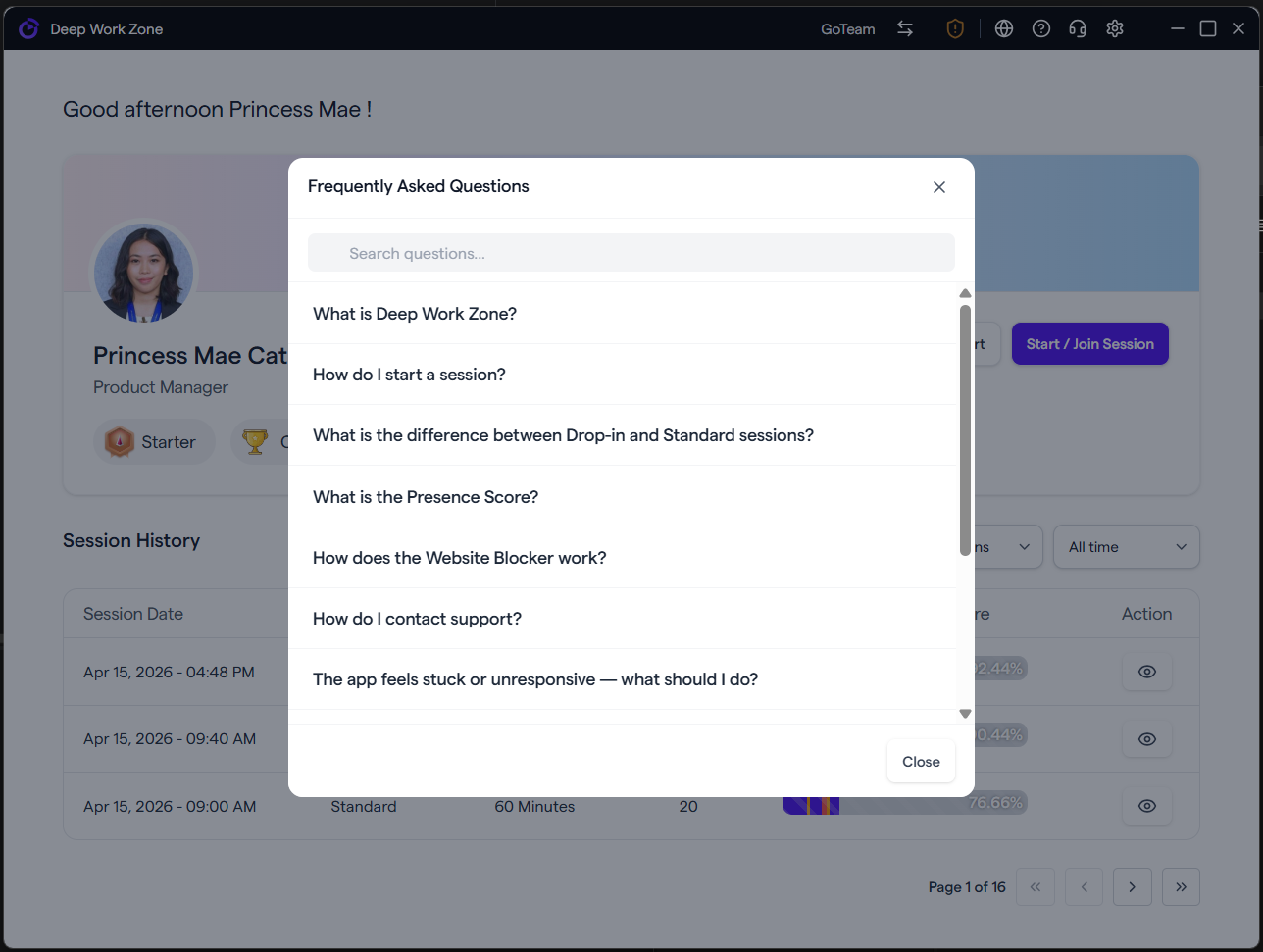
- FAQ Modal — Added an in-app FAQ accessible from the top menu bar with searchable questions and accordion-style answers covering common topics and troubleshooting steps.
- Support Tab Shortcut — A direct shortcut to the Support tab is now available in the settings modal for faster access.
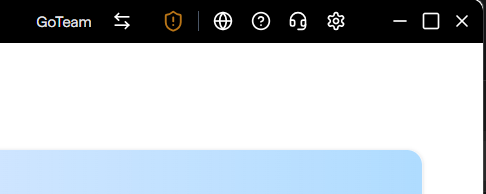
- Quick Access Menu Buttons — Added Visit Us, FAQ, and Support shortcut buttons grouped together in the top menu bar for faster access.
- Task Fetch Loading Indicator — A loading state is now shown while session tasks are being fetched, giving clearer feedback during session startup.
✨ Enhancements
- Improved session countdown timer — event listener management and initial value seeding are now more robust, preventing stale or missed timer ticks.
- Improved date and time handling — enhanced utility functions now defensively parse server timestamps and surface a clock drift warning when the offset exceeds 30 seconds.
- Improved menu bar layout — Visit Us, FAQ, and Support buttons are now visually grouped with a single divider for cleaner navigation.
- Refactored session info fetching to async/await for a cleaner and more reliable loading flow.
- Added defaultIndex prop to tab components for programmatic control over the initially active tab.
🛠️ Fixes
- Fixed session countdown not starting — resolved invalid date parsing and simplified countdown logic so the timer reliably starts after session data is loaded.
- Fixed session start failing with clock drift — the app now applies a clock offset correction before submitting session start, preventing rejections caused by the client clock being behind the server.
- Fixed duplicate timer start call on session join that could cause the countdown to skip or double-tick.
- Fixed horizontal scrollbar appearing in the mini window task list due to marquee animation overflow.
- Fixed dropdown chevron button background and cursor styles for a more consistent interactive appearance.
- Fixed avatar image width styling on session and participant views displaying incorrectly.
- Fixed session type property name — corrected
session_jointosession_joinedto match the server payload.
🖼️ Screenshots
 Screenshot 1
 Screenshot 2
 - 10 Apr, 2026
v1.3.6
Stable🚀 What's New
- In-App Support — Submit support tickets, track status, view replies, and attach screenshots — all from within the app under Settings → Support.
- Avatar Upload — Users can now upload and remove their profile avatar directly from account settings.
- Reaction Animations — Participant reactions now include animations with persistent state during sessions.
- Floating Reaction Notifications — Reactions appear as floating notifications on the celebration page.
- Expandable Task Context Previews — Tasks now show expandable context previews with user avatars.
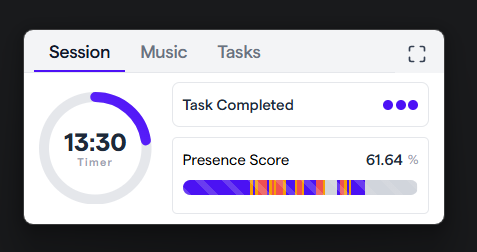
- Presence Score Reminder — A reminder notification triggers when your presence score remains consistently low.
- Celebrate Phase Notification — Users are notified when a session enters the celebrate phase.
- Camera Disconnect / Reconnect Notification — Get notified when your camera is disconnected or reconnected.
- Greetings Notification — Users receive a greeting notification when the app starts.
- Network Indicator — Redesigned with 3 distinct status icons for better connectivity visibility.
- Logout from App Menu — You can now log out directly from the macOS/Windows app menu bar.
- User Initials Fallback — Displays user initials when a profile avatar is not available.
✨ Enhancements
- Improved Presence Detection — camera preview no longer closes while the camera is still initializing.
- Enlarged Mini Window dimensions for an improved UI layout and experience.
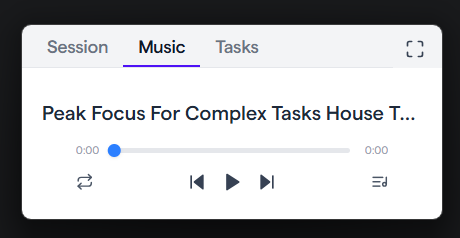
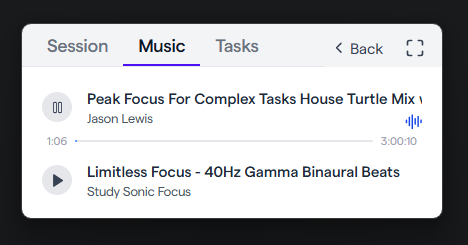
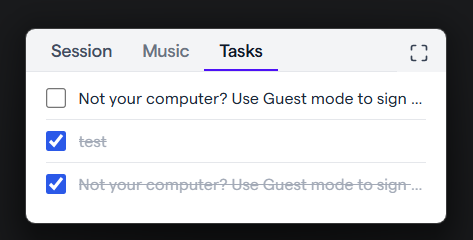
- Redesigned Mini Page tabs and enhanced the music player UI.
- Improved Music Player audio playback state management with a refined progress bar.
- Enhanced Presence Bar with customizable height and refined loading logic.
- Parallelized certificate fetching for faster startup and connection.
- Improved session exit — network stops conditionally when leaving a session.
- Added Round Variant to the countdown timer with refactored timer handling.
🛠️ Fixes
- Fixed website blocker not working after a page refresh.
- Fixed PAC server failing to start due to port already in use.
- Fixed macOS certificate authority invalid error.
- Fixed permission installation on Windows.
- Fixed proxy — Windows registry commands no longer open a console window.
- Fixed proxy being enabled on app refresh.
- Fixed camera presence detection stability and UI feedback issues.
- Fixed camera transitions — modal no longer closes and controls are disabled during camera state changes.
- Fixed camera animation glitch.
- Fixed Python camera detection issues.
- Fixed timer sync between mini view and main view.
- Fixed app not exiting properly on close.
- Fixed Slack API requests being made even when Slack is not integrated.
- Fixed huddles fetching even when the feature is disabled.
- Fixed heatmap data not being pulled correctly.
- Fixed settings menu — now hidden when the user is not logged in.
- Fixed presence feed event payload missing presence data.
- Fixed Quick Start modal — close button now works correctly.
- Fixed AI Model not showing correctly.
- Fixed async handling in session music controls.
🖼️ Screenshots
 Screenshot 1
 Screenshot 2
 Screenshot 3
 View all
 - 06 Mar, 2026
v1.3.5
Stable🚀 What's New
- Added a basic user flow on the login page to guide new users.
- Each member now has a unique referral code.
- Introduced an Invite via Email feature.
- Added a Growth Loop dialog to improve user engagement.
✨ Enhancements
- Added System Tray support to prevent accidental app closure.
- Windows: Added quick actions in the system tray: Clear cache, Check for updates, About section.
🛠️ Fixes
- Fixed typography issues across the app.
- Improved performance during AI execution.
🤖 Beta Feature: AI Agent
- Introduced a local AI Agent (experimental).
- The agent can be activated using a downloadable local AI model.
- Provides dynamic greetings, notifications, and reminders based on user activity and statistics.
- Supports Apple Metal Performance Shaders (MPS) to utilize GPU acceleration on macOS.
- Added a new Agent section in Settings, which includes a downloadable AI model.
- 09 Feb, 2026
v1.3.4
Stable🚀 What's New
- You can now bring your tasks from OKRx.app directly into DeepWorkZone. No more copying tasks manually — start your focus session faster.
✨ Improvements
Better macOS Experience:
- DeepWorkZone now uses standard macOS window controls for a more natural, native feel.
- The default macOS app menu has been simplified and now includes a Clear Cache option.
More Reliable Presence Detection:
- Presence tracking now runs in a background process, so it won't slow down or get throttled when the app is minimized or in mini mode.
Improved Login Experience:
- Logging in is now smoother and more user-friendly.
🛠️ Fixes
- Windows: Fixed a certificate signing issue that could cause the web blocker to stop working unexpectedly.
- Fixed an issue where your presence score could drop significantly when using mini mode.
- 22 Jan, 2026
v1.3.3
Stable🚀 What's New
- Quick Start — Launch your deep work sessions instantly with pre-configured settings. Configure under Settings → General → Quick Start.
- Launch on Startup — DeepWorkZone can now start automatically when your computer boots up.
- Dark Mode 🌙 — A fully-featured dark theme for reduced eye strain. Toggle under Settings → Appearance.
✨ Improvements
- Pagination on Session History – Better performance and navigation through large datasets.
- Presence Bar Tooltips – Added detailed tooltips for at-a-glance participant status and activity information.
- UI/UX Improvements – Overall interface refinements for a more polished and intuitive experience.
🛠️ Fixes
- Fixed static content that should have been dynamic metrics for improved data accuracy and real-time updates.